
Baby Games for 2-5 Year Olds
Timpy Games For Kids, Toddlers & BabyEducational
4.665.00 Reviews
- Version
- 1.9.2
- Installs
- 1.00M
- Age Rating
- Everyone
Screenshots
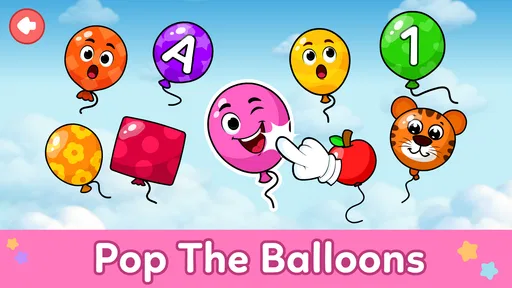
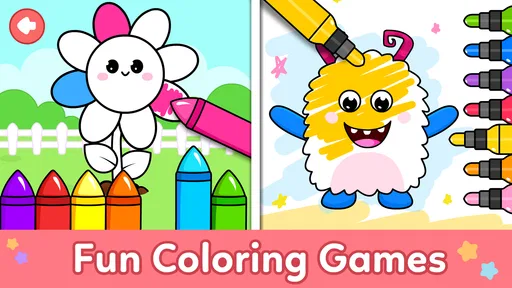

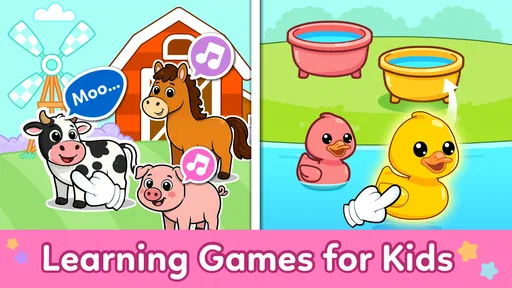
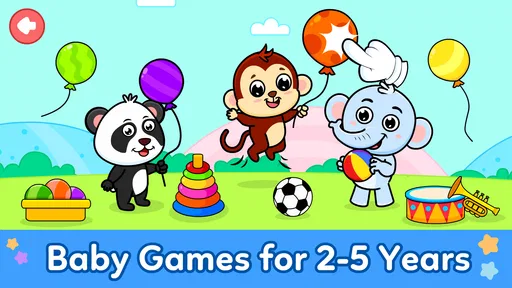
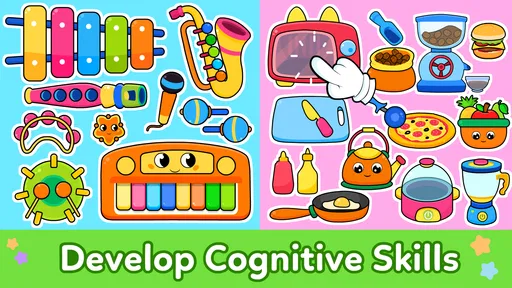
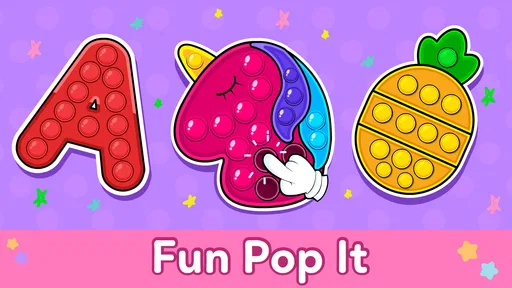
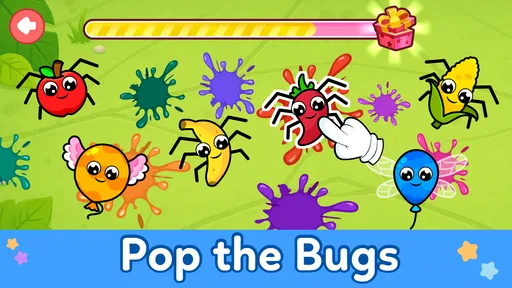
Our Review of Baby Games for 2-5 Year Olds
 Analysis by Appyee
When I look at learning games for very young children, I care less about how many activities appear in the description and more about what happens during an ordinary family moment: can a child understand the first screen, does the game respond without making them wait, and can an adult step in without turning playtime into technical support? Baby Games for 2-5 Year Olds is aimed squarely at that situation. It is a free educational game from Timpy Games For Kids, Toddlers & Baby, with activities built around early play and simple interaction.
I spent time judging it as something a parent might open during a short break, a toddler might revisit several times, and an older preschooler might outgrow sooner. Its store summary points to more than one hundred learning games alongside balloon-popping play, so this is broader than a single counting or matching exercise. The important question is whether that breadth feels useful or merely busy. My overall impression is that it works best as a gentle activity box for ages two to five, especially when an adult chooses the right moment and does not expect it to replace hands-on learning.
What the game feels like in everyday use
The strongest part of the concept is its low entry barrier. A two-year-old usually needs an activity that can be understood through large, obvious actions rather than reading instructions. A preschooler, meanwhile, benefits from repetition with just enough variety to keep the session from feeling like the same exercise every time. The combination of learning activities and balloon-popping play gives families a way to move between calmer practice and simple reward-based interaction.
I would introduce it during a short waiting period, such as before an appointment or while dinner is being finished. In that setting, I would not hand over the device and disappear. I would sit nearby for the first few sessions, watch which activities the child understands, and use the game as a prompt for conversation. Asking a child to name what they see, count aloud, or explain a choice turns passive tapping into a more useful learning routine.
The practical strength is flexibility rather than depth in one subject. This kind of collection can serve a child whose attention changes quickly. If one activity becomes frustrating, moving to another may preserve the mood without ending the session. That is more helpful for a young child than insisting on finishing a single lesson that has already stopped making sense.
Speed expectations for a young player
Perceived speed matters more with toddlers than many adults expect. A child who is still learning cause and effect may tap repeatedly when the response feels delayed, then assume the game is broken or that the tap was wrong. In my experience, the most important performance quality here is not sophisticated animation; it is a clear connection between the child’s action and what appears next.
The game is designed for simple play rather than demanding graphics, which gives it a sensible profile for short sessions on compatible older devices. I would still avoid judging responsiveness while several other apps are open, especially on a family phone with little free storage or limited memory. Closing unused apps before giving the device to a child is a small step, but it can prevent the confusing pauses that children interpret as failure.
There is also a useful distinction between adult-perceived speed and child-perceived speed. An adult may tolerate a brief transition, while a toddler may immediately tap the screen again and create an unintended action. For that reason, I recommend showing one action at a time and placing the device on a stable surface. The child is more likely to notice the result when the phone or tablet is not being moved around.
What happens during heavier play
A longer session can be more demanding than a quick test. A child may jump between many activities, repeat balloon play, and keep tapping while an adult tries to guide them. That is when a broad game collection can feel less orderly than a single-purpose learning app. The variety is valuable, but it can also make it harder to tell whether a child is practicing a skill or simply chasing the most entertaining interaction.
My preferred workflow is to set a small goal before opening it: one matching-style activity, one activity involving recognition or early learning, and then a brief free-play section. I would not treat that as a rigid lesson plan. It is simply a way to stop the session becoming endless switching. This approach also helps an adult notice whether the child is improving or only repeating familiar taps.
Balloon-popping play is likely to be especially attractive during tired moments because it offers immediate, uncomplicated feedback. That makes it a good reset after a more challenging activity, but it also means it can dominate the session if the child is allowed to choose without guidance. Parents who want deliberate practice should use the playful section as a finish, not necessarily as the entire visit.
For resource-conscious families, the key trade-off is breadth. A collection with many activities may require more content than a tiny single-game app, yet its usefulness can justify that footprint if the child genuinely returns to different sections. I would keep an eye on available storage and remove unused downloads or background clutter from the device before installing any sizeable children’s collection. The game itself is free to start, while optional purchases are listed at $2.99 to $4.99 per item, so adults should also review the purchase setup before handing over the device.
Stability and recovery after interruptions
Young children rarely play in ideal conditions. A call arrives, the screen locks, the device changes orientation, or a parent needs to take it away quickly. A useful children’s game should be easy to return to after that interruption. My advice is to treat recovery as part of the routine: pause the session when possible, keep the device charged, and reopen the game yourself before giving it back to the child.
I would not promise a particular resume behavior or claim that every device will react identically. Android hardware varies widely, and this title supports Android 7.0 or later, which covers a broad range of phones and tablets. On an older device, a fresh launch after interruption may feel less immediate than on newer hardware. That is not necessarily a problem for a supervised five-minute activity, but it is worth considering if you want a game to occupy a child independently for a long stretch.
Another recovery issue is emotional rather than technical. If a child loses their place or returns to a different activity, they may not know how to get back. I found that a simple adult habit helps: remember the name or appearance of the activity the child was using, then guide them back instead of asking them to navigate alone. This is a small but important difference between a game that supports family use and one that is merely left running.
Device constraints parents should consider
The age range makes screen size important. A tablet can be easier for small fingers than a compact phone, particularly when a child is still developing precise tapping. A phone is more convenient for travel, but I would hold it securely or use a case with a stand. Accidental touches are more likely when the child is gripping the device, and the adult may mistake those touches for poor gameplay.
Android compatibility begins at version 7.0, so a device that cannot meet that requirement will not be a suitable home for this game. For compatible hardware, I would prioritize a clear screen, dependable touch response, and enough battery for the planned session over raw processing power. The game’s educational, early-childhood focus does not make an old or damaged touchscreen feel better; if taps regularly fail elsewhere, the child will struggle here too.
Sound deserves attention as well. Very young children may rely on audio cues, but families do not always want a noisy game in a car, waiting room, or shared room. I recommend testing the experience at a low volume before play begins and staying close enough to observe the child’s reactions. If the game is being used in a quiet public place, silent play may be more appropriate, though an adult should then compensate with spoken prompts.
Because the content rating is Everyone, the game is positioned for a broad family audience. That does not mean every activity will suit every child equally. A two-year-old may need hand-over-hand guidance, while a five-year-old may want a clearer challenge or a more structured progression. The rating helps establish suitability of audience, but it should not be confused with a guarantee that the difficulty will match each child’s development.
How the collection compares with simpler alternatives
Compared with a single alphabet, numbers, or puzzle app, this game offers more variety in one place. That is its clearest advantage for families who do not want to install several separate titles. It can also reduce the friction of deciding what to open when a child wants something new. The cost of entry is low because the game is free, although the optional in-app items make adult supervision around purchasing sensible.
The compromise is focus. A dedicated counting app may be better when a parent wants a concentrated practice session with one measurable goal. A physical puzzle, picture book, or sorting activity is often better when the child needs to move, handle objects, or learn away from a screen. I would choose this collection for variety and convenience, not as the only educational tool in a child’s routine.
It is also less suitable for a child who becomes overstimulated by rapid switching or reward-oriented play. In that case, a quieter, slower activity with fewer choices may produce better attention. Conversely, a child who loses interest quickly in repetitive drills may respond well to the range here. The right choice depends on whether variety helps that particular child stay engaged or makes concentration harder.
Three ways to get more value from it
First, use the game as a conversation starter rather than a babysitter. Sit beside the child for a few minutes and ask them to describe the action before tapping. This slows the pace just enough to reveal whether they understand the task. It also lets an adult notice when the child is guessing, copying, or simply pressing every visible object.
Second, separate discovery from repetition. During the first session, allow the child to explore several activities. On later visits, return to one familiar activity and one new activity. That pattern gives the child confidence without turning the collection into a random sequence of taps. It is particularly useful for a two-year-old who may need repeated exposure before an instruction becomes meaningful.
Third, use balloon play as a transition tool. It can help end a difficult learning activity on a positive note, but I would set a clear stopping point before opening it. For example, an adult can say that the child will pop balloons for a short finish and then put the device away. This makes the appealing part of the game work within a routine instead of allowing it to stretch indefinitely.
Who will appreciate it, and who should skip it
I think it is a good fit for parents seeking a varied first educational game for a toddler or preschooler, grandparents who want a simple activity to share, and families that prefer keeping several early-learning options inside one installation. Its broad age range makes it possible for siblings at different preschool stages to try it, although they may need different levels of help.
I would skip it if your main requirement is a carefully sequenced curriculum, detailed progress reporting, or a screen-free learning experience. It is also not my first choice for a child who needs a highly focused challenge in one subject. In those situations, a specialized educational tool or an offline activity may offer clearer direction and fewer distractions.
Adults should also decide in advance whether they are comfortable with optional purchases. The free starting point is attractive, but a child should not be left to explore purchase prompts alone. Checking the device’s purchase protections and explaining that not every locked item is automatically available is part of responsible setup, especially when a child is enthusiastic about unlocking more play.
My performance verdict
Baby Games for 2-5 Year Olds succeeds as a flexible, low-pressure collection rather than a deep teaching program. Its educational category, broad activity range, and playful balloon interaction make it easy to fit into short family routines. I found the best experience came from supervised use, a stable device, and a simple plan that balanced exploration with one or two purposeful activities.
The game has also built a substantial audience, with an average rating of 4.6 from around 9.5 thousand ratings and more than one million installs. Those figures suggest that the format has broad appeal, while the developer, Timpy Games For Kids, Toddlers & Baby, is clearly focused on young children’s play. The current version is 1.9.2, and the game was released on October 18, 2022, details that help place it as an established option rather than a brand-new experiment.
My final recommendation is positive but measured: try it if you want a free starting point with plenty of child-friendly variety, and keep your expectations centered on playful practice. I would use it for short, guided sessions, not as a replacement for talking, reading, building, drawing, and physical play. For families who understand that balance, Baby Games for 2-5 Year Olds can be a convenient and approachable addition to a young child’s activity rotation.
Verdict
Strengths of Baby Games for 2-5 Year Olds
- Simple controls are easy for preschoolers to understand independently.
- Bright animations and sounds help maintain attention during short play sessions.
- Activities cover matching, counting, colors, shapes, and basic problem-solving.
- Progressive difficulty can keep children challenged without feeling overwhelmed.
- Offline play is convenient for travel or areas with limited internet access.
Limitations of Baby Games for 2-5 Year Olds
- Some activities may become repetitive after extended use.
- Frequent sounds and animations can be overstimulating for sensitive children.
- Limited customization may not suit every child’s learning pace or interests.
- Parents may need to monitor playtime and guide younger users.
- Certain features or content may require an in-app purchase.
Other Releases by Timpy Games For Kids, Toddlers & Baby
View All
Bulldozer Construction Games
Educational0.0
Similar Picks in This Category
View All
Little Panda Policeman
BabyBus4.0

Monster Trucks Game for Kids 2
Raz Games4.1

Little Panda's Chinese Recipes
BabyBus4.4

Little Panda's Restaurant
BabyBus4.4

Little Panda's Ice Cream Games
BabyBus4.3

Baby Panda Care
BabyBus3.8
Frequently Asked Questions
What is Baby Games for 2-5 Year Olds?
Baby Games for 2-5 Year Olds is an educational entertainment app designed for preschool children. It generally combines simple activities such as matching, colors, shapes, numbers, puzzles, and basic memory challenges. The controls are made for young users, with large buttons and straightforward interactions. It is intended to support early learning while keeping children engaged through colorful visuals and playful activities.
Is Baby Games for 2-5 Year Olds suitable for my child’s age?
The app is aimed at children between two and five years old, although children develop at different speeds. Younger users may need help understanding the activities and navigating between games, while older preschoolers may complete the easier challenges quickly. Parents should try the available activities first and choose content that matches their child’s attention span, coordination, language ability, and current learning level.
Does the app require an internet connection to work?
Many activities in Baby Games for 2-5 Year Olds may be available offline after installation, which is convenient for travel or situations without Wi-Fi. However, certain features can depend on an internet connection, including advertisements, updates, external links, purchases, or additional content. Before giving the device to a child, parents should test the app in airplane mode and review what remains accessible offline.
Is Baby Games for 2-5 Year Olds safe for children to use?
The app is designed for young children, but parents should still supervise its use. Check the current store listing for advertising, in-app purchases, data collection, and links to other websites or applications. It is also wise to activate parental controls, disable accidental purchases, and use the device’s screen-time settings. Adult supervision is especially important because no app should replace real-world play, conversation, or interaction.
Is Baby Games for 2-5 Year Olds free to download?
The download may be free, but the exact business model can vary by platform and version. Some editions may include advertisements, optional purchases, subscription features, or paid upgrades that unlock more games or remove ads. Parents should read the Google Play or App Store description carefully before installing, then check the purchase settings on the device to prevent a child from accidentally spending money.
Play our best games!


